# integration
**Repository Path**: txowner/integration
## Basic Information
- **Project Name**: integration
- **Description**: 🇨🇳 HACS 极速版
利用Github镜像加速下载HomeAssistant社区商店集成/卡片/主题
- **Primary Language**: Python
- **License**: MIT
- **Default Branch**: china
- **Homepage**: https://github.com/hacs-china
- **GVP Project**: No
## Statistics
- **Stars**: 0
- **Forks**: 13
- **Created**: 2023-10-12
- **Last Updated**: 2023-10-12
## Categories & Tags
**Categories**: Uncategorized
**Tags**: None
## README
# HACS 极速版
[](https://github.com/hacs-china/integration/releases/latest?include_prereleases)
[](https://github.com/hacs-china/integration/releases)
[](https://github.com/hacs-china/integration/stargazers)
[HACS](https://hacs.xyz)是一款优秀的 [Home Assistant](https://www.home-assistant.io) 集成商店,然而国人想要使用它下载插件或前端卡片却困难重重,主要原因就是国内的网络环境。
本项目使用了[ghproxy.com](https://ghproxy.com)和[fastgit.org](https://fastgit.org)提供的Github镜像服务,可以让大家更快的下载商店里的插件。
## 安装
> 本项目是HACS官方集成的修改版,安装本项目版本会覆盖官方的集成,但是无需重新配置集成(共用一套配置),因此你可以放心安装。如果想切换到官方版本,使用官方的shell命令再安装即可。
### 使用命令行安装(推荐)
```bash
wget -O - https://hacs.vip/get | bash -
```
> 如果上面的命令执行后卡住不动,或没有提示安装成功,请尝试下面的命令
```bash
wget -O - https://hacs.vip/get | HUB_DOMAIN=ghproxy.com/github.com bash -
```
- 如果是haos/hassio/supervisor版本的HA,可直接在宿主机或`Terminal & SSH`加载项中执行上面的命令
- 如果是core/docker版本的HA,需要ssh登陆宿主机后,并cd进入到HA配置目录再执行安装命令
### 手动安装
- [点击这里下载](https://github.com/hacs-china/integration/releases/latest/download/hacs.zip)安装包并解压 (如果下载不了请点[这里](https://ghproxy.com/github.com/hacs-china/integration/releases/latest/download/hacs.zip)或[这里](https://hub.fastgit.xyz/hacs-china/integration/releases/latest/download/hacs.zip))
- 通过samba/ftp进入HA配置目录,通常为以下目录:
- `/usr/share/hassio/homeassistant` haos/hassio宿主机
- `/config` haos/hassio的`Samba`或`Terminal & SSH`加载项
- `$HOME/.homeassistant` 以core方式安装的HA默认配置目录
- docker安装的HA为`-v`参数后面映射的目录
- 在HA配置目录下创建`custom_components`文件夹 (如果已有请忽略)
- 在`custom_components`目录下创建`hacs`文件夹 (如果已有请删除重新创建)
- 將解压出来的文件复制到刚创建的`hacs`文件夹
- 重启HA
- [添加HACS集成](https://my.home-assistant.io/redirect/config_flow_start/?domain=hacs) (仅首次安装)
> ⚠️ 请不要通过下图中的位置下载HACS,会缺少文件
> 
## 镜像
> **Note**
>
> 自v1.27.1.3开始,HACS极速版支持自定义Github API镜像,如果你的HACS无法加载集成列表和集成详情,修改此选项会有所改善。
> 此前的版本仅能解决集成下载不了,而该版本后能解决大部分Github访问不了导致的大部分问题。
>
> 不过遗憾的是,首次安装HACS时的授权过程仍然还不能被加速,如果你在授权过程中一直转圈,请稍后再试或使用其他科学的方式。
- 社区提供的免费镜像:
- `https://ghapi-cf.hacs.vip/api` - [@al-one](https://github.com/al-one)
- `https://hacs-china.chrome7.com/api` - [@goxofy](https://github.com/goxofy)
- `https://cn.hacs.tk/api` - [@cheny95](https://github.com/cheny95)
- `https://hacs.liangshe.ng/api` - [@louliangsheng](https://github.com/louliangsheng)
- `https://hacs-china.casen.tk/api` - [@CasenChan](https://github.com/CasenChan)
> **Note**
>
> 以上镜像由贡献者免费提供,是由`Cloudflare Worker`搭建,每个镜像每天有10万次请求次数限制,请随机使用上面的镜像。
> 我们建议你使用自己的域名创建镜像,当然也可以使用[`freenom.com`](https://freenom.com)的免费域名。
- 创建自己的镜像:
- 登陆或注册[`Cloudflare`](https://cloudflare.com)添加自己的域名,并修改域名的NS记录
- [创建`Worker`服务](https://dash.cloudflare.com/?account=workers),选择`HTTP 处理程序`
- 复制[`index.js`](https://raw.githubusercontent.com/hacs-china/gh-proxy/master/index.js)中的代码,并张贴至Worker的代码编辑器中
- 部署并在触发器中添加自定义域名,Worker分配的域名是无法被访问的
- 访问`https://your.mirror.domain/api/`检查是否生效
- 在HA的集成与服务页面找到已添加的HACS,点击`选项`
- 填入镜像地址`https://your.mirror.domain/api`
## 常见问题
- [极速版和官方HACS的差别有那些?](https://github.com/hacs-china/integration/compare/main...china)
------
## 🎉 `Hassio`/`Supervisor`加载项(`Add-ons`)商店镜像:https://gitee.com/hassio 🎉
------
# HACS (Home Assistant Community Store)
_Manage (Install, track, upgrade) and discover custom elements for Home Assistant directly from the UI._
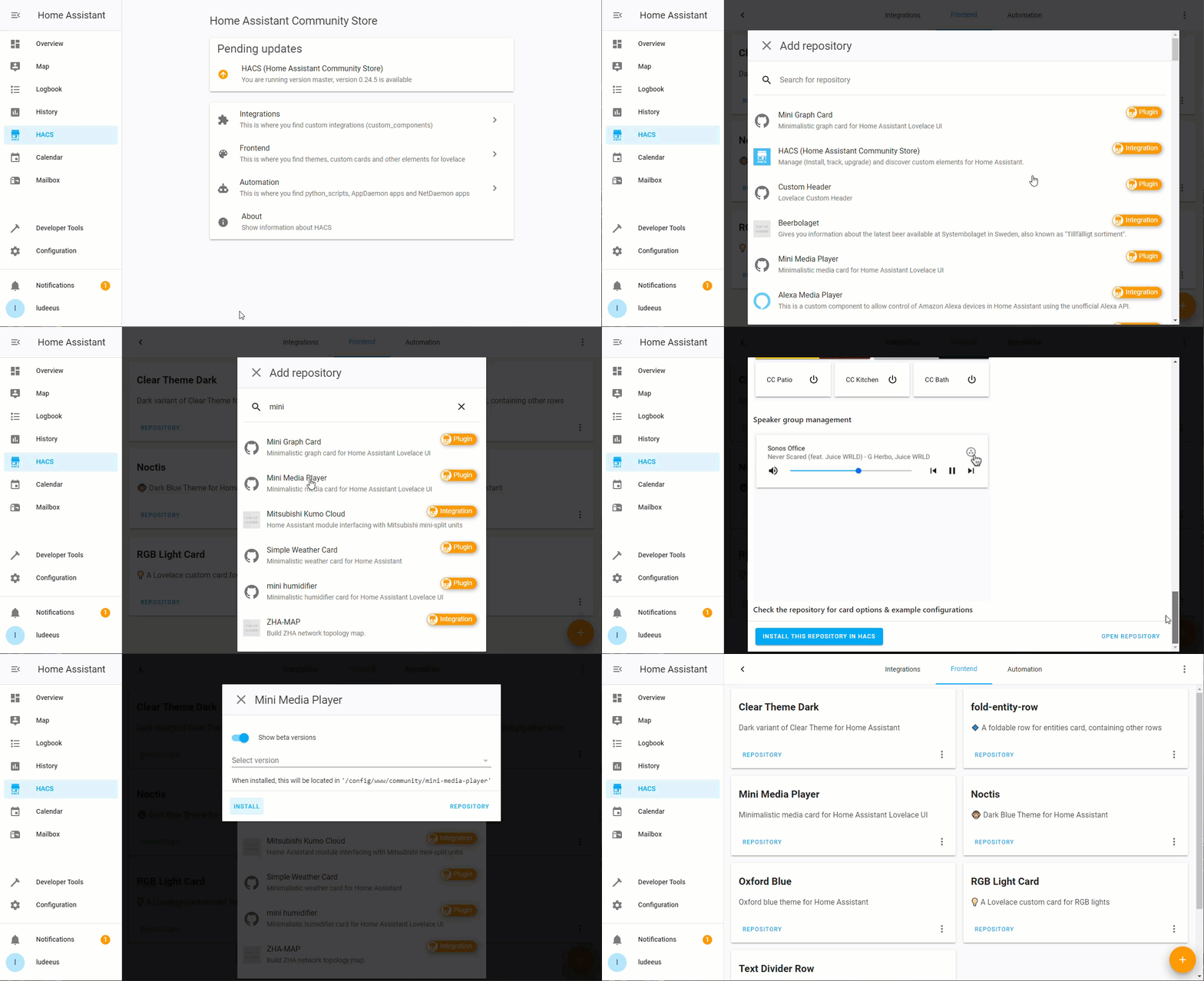
## What?
HACS is a integration that gives the user a powerful UI to handle downloads of custom needs.
**Highlights of what HACS can do:**
- Help you discover new custom elements.
- Help you download new custom elements.
- Help you keep track of your custom elements.
- Manage(download/update/remove)
- Shortcuts to repositories/issue tracker
## Useful links
- [General documentation](https://hacs.xyz/)
- [Configuration](https://hacs.xyz/docs/configuration/basic)
- [FAQ](https://hacs.xyz/docs/faq)
- [GitHub](https://github.com/hacs)
- [Discord](https://discord.gg/apgchf8)
- [Become a GitHub sponsor? ❤️](https://github.com/sponsors/ludeeus)
- [BuyMe~~Coffee~~Beer? 🍺🙈](https://buymeacoffee.com/ludeeus)
## Issues
~~If~~ When you experience issues/bugs with this the best way to report them is to open an issue in **this** repo.
[Issue link](https://hacs.xyz/docs/issues)