# voltagent
**Repository Path**: mirrors_trending/voltagent
## Basic Information
- **Project Name**: voltagent
- **Description**: Open Source TypeScript AI Agent Framework
- **Primary Language**: Unknown
- **License**: MIT
- **Default Branch**: main
- **Homepage**: None
- **GVP Project**: No
## Statistics
- **Stars**: 0
- **Forks**: 1
- **Created**: 2025-05-06
- **Last Updated**: 2026-01-17
## Categories & Tags
**Categories**: Uncategorized
**Tags**: None
## README

AI Agent Engineering Platform
[](https://github.com/voltagent/voltagent/issues)
[](https://github.com/voltagent/voltagent/pulls)
[](https://opensource.org/licenses/MIT)
[](CODE_OF_CONDUCT.md)
[](https://www.npmjs.com/package/@voltagent/core)
[](https://www.npmjs.com/package/@voltagent/core)
[](https://s.voltagent.dev/discord)
[](https://twitter.com/voltagent_dev)
⭐ Like what we're doing? Give us a star ⬆️
VoltAgent is an end-to-end AI Agent Engineering Platform that consists of two main parts:
- **[Open-Source TypeScript Framework](#core-framework)** – Memory, RAG, Guardrails, Tools, MCP, Voice, Workflow, and more.
- **[VoltOps Console](#voltops-console)** `Cloud` `Self-Hosted` – Observability, Automation, Deployment, Evals, Guardrails, Prompts, and more.
Build agents with full code control and ship them with production-ready visibility and operations.
Core TypeScript Framework
With the open-source framework, you can build intelligent agents with memory, tools, and multi-step workflows while connecting to any AI provider. Create sophisticated multi-agent systems where specialized agents work together under supervisor coordination.
- **[Core Runtime](https://voltagent.dev/docs/agents/overview/) (`@voltagent/core`)**: Define agents with typed roles, tools, memory, and model providers in one place so everything stays organized.
- **[Workflow Engine](https://voltagent.dev/docs/workflows/overview/)**: Describe multi-step automations declaratively rather than stitching together custom control flow.
- **[Supervisors & Sub-Agents](https://voltagent.dev/docs/agents/sub-agents/)**: Run teams of specialized agents under a supervisor runtime that routes tasks and keeps them in sync.
- **[Tool Registry](https://voltagent.dev/docs/agents/tools/) & [MCP](https://voltagent.dev/docs/agents/mcp/)**: Ship Zod-typed tools with lifecycle hooks and cancellation, and connect to [Model Context Protocol](https://modelcontextprotocol.io/) servers without extra glue code.
- **[LLM Compatibility](https://voltagent.dev/docs/getting-started/providers-models/)**: Swap between OpenAI, Anthropic, Google, or other providers by changing config, not rewriting agent logic.
- **[Memory](https://voltagent.dev/docs/agents/memory/overview/)**: Attach durable memory adapters so agents remember important context across runs.
- **[Resumable Streaming](https://voltagent.dev/docs/agents/resumable-streaming/)**: Let clients reconnect to in-flight streams after refresh and continue receiving the same response.
- **[Retrieval & RAG](https://voltagent.dev/docs/rag/overview/)**: Plug in retriever agents to pull facts from your data sources and ground responses (RAG) before the model answers.
- **[VoltAgent Knowledge Base](https://voltagent.dev/docs/rag/voltagent/)**: Use the managed RAG service for document ingestion, chunking, embeddings, and search.
- **[Voice](https://voltagent.dev/docs/agents/voice/)**: Add text-to-speech and speech-to-text capabilities with OpenAI, ElevenLabs, or custom voice providers.
- **[Guardrails](https://voltagent.dev/docs/guardrails/overview/)**: Intercept and validate agent input or output at runtime to enforce content policies and safety rules.
- **[Evals](https://voltagent.dev/docs/evals/overview/)**: Run agent eval suites alongside your workflows to measure and improve agent behavior.
#### MCP Server (@voltagent/mcp-docs-server)
You can use the MCP server `@voltagent/mcp-docs-server` to teach your LLM how to use VoltAgent for AI-powered coding assistants like Claude, Cursor, or Windsurf. This allows AI assistants to access VoltAgent documentation, examples, and changelogs directly while you code.
📖 [How to setup MCP docs server](https://voltagent.dev/docs/getting-started/mcp-docs-server/)
## ⚡ Quick Start
Create a new VoltAgent project in seconds using the `create-voltagent-app` CLI tool:
```bash
npm create voltagent-app@latest
```
This command guides you through setup.
You'll see the starter code in `src/index.ts`, which now registers both an agent and a comprehensive workflow example found in `src/workflows/index.ts`.
```typescript
import { VoltAgent, Agent, Memory } from "@voltagent/core";
import { LibSQLMemoryAdapter } from "@voltagent/libsql";
import { createPinoLogger } from "@voltagent/logger";
import { honoServer } from "@voltagent/server-hono";
import { openai } from "@ai-sdk/openai";
import { expenseApprovalWorkflow } from "./workflows";
import { weatherTool } from "./tools";
// Create a logger instance
const logger = createPinoLogger({
name: "my-agent-app",
level: "info",
});
// Optional persistent memory (remove to use default in-memory)
const memory = new Memory({
storage: new LibSQLMemoryAdapter({ url: "file:./.voltagent/memory.db" }),
});
// A simple, general-purpose agent for the project.
const agent = new Agent({
name: "my-agent",
instructions: "A helpful assistant that can check weather and help with various tasks",
model: openai("gpt-4o-mini"),
tools: [weatherTool],
memory,
});
// Initialize VoltAgent with your agent(s) and workflow(s)
new VoltAgent({
agents: {
agent,
},
workflows: {
expenseApprovalWorkflow,
},
server: honoServer(),
logger,
});
```
Afterwards, navigate to your project and run:
```bash
npm run dev
```
When you run the dev command, tsx will compile and run your code. You should see the VoltAgent server startup message in your terminal:
```
══════════════════════════════════════════════════
VOLTAGENT SERVER STARTED SUCCESSFULLY
══════════════════════════════════════════════════
✓ HTTP Server: http://localhost:3141
Test your agents with VoltOps Console: https://console.voltagent.dev
══════════════════════════════════════════════════
```
Your agent is now running! To interact with it:
1. Open the Console: Click the [VoltOps LLM Observability Platform](https://console.voltagent.dev) link in your terminal output (or copy-paste it into your browser).
2. Find Your Agent: On the VoltOps LLM Observability Platform page, you should see your agent listed (e.g., "my-agent").
3. Open Agent Details: Click on your agent's name.
4. Start Chatting: On the agent detail page, click the chat icon in the bottom right corner to open the chat window.
5. Send a Message: Type a message like "Hello" and press Enter.
[](https://github.com/user-attachments/assets/26340c6a-be34-48a5-9006-e822bf6098a7)
### Running Your First Workflow
Your new project also includes a powerful workflow engine.
The expense approval workflow demonstrates human-in-the-loop automation with suspend/resume capabilities:
```typescript
import { createWorkflowChain } from "@voltagent/core";
import { z } from "zod";
export const expenseApprovalWorkflow = createWorkflowChain({
id: "expense-approval",
name: "Expense Approval Workflow",
purpose: "Process expense reports with manager approval for high amounts",
input: z.object({
employeeId: z.string(),
amount: z.number(),
category: z.string(),
description: z.string(),
}),
result: z.object({
status: z.enum(["approved", "rejected"]),
approvedBy: z.string(),
finalAmount: z.number(),
}),
})
// Step 1: Validate expense and check if approval needed
.andThen({
id: "check-approval-needed",
resumeSchema: z.object({
approved: z.boolean(),
managerId: z.string(),
comments: z.string().optional(),
adjustedAmount: z.number().optional(),
}),
execute: async ({ data, suspend, resumeData }) => {
// If we're resuming with manager's decision
if (resumeData) {
return {
...data,
approved: resumeData.approved,
approvedBy: resumeData.managerId,
finalAmount: resumeData.adjustedAmount || data.amount,
};
}
// Check if manager approval is needed (expenses over $500)
if (data.amount > 500) {
await suspend("Manager approval required", {
employeeId: data.employeeId,
requestedAmount: data.amount,
});
}
// Auto-approve small expenses
return {
...data,
approved: true,
approvedBy: "system",
finalAmount: data.amount,
};
},
})
// Step 2: Process the final decision
.andThen({
id: "process-decision",
execute: async ({ data }) => {
return {
status: data.approved ? "approved" : "rejected",
approvedBy: data.approvedBy,
finalAmount: data.finalAmount,
};
},
});
```
You can test the pre-built `expenseApprovalWorkflow` directly from the VoltOps console:
[](https://github.com/user-attachments/assets/3d3ea67b-4ab5-4dc0-932d-cedd92894b18)
1. **Go to the Workflows Page:** After starting your server, go directly to the [Workflows page](https://console.voltagent.dev/workflows).
2. **Select Your Project:** Use the project selector to choose your project (e.g., "my-agent-app").
3. **Find and Run:** You will see **"Expense Approval Workflow"** listed. Click it, then click the **"Run"** button.
4. **Provide Input:** The workflow expects a JSON object with expense details. Try a small expense for automatic approval:
```json
{
"employeeId": "EMP-123",
"amount": 250,
"category": "office-supplies",
"description": "New laptop mouse and keyboard"
}
```
5. **View the Results:** After execution, you can inspect the detailed logs for each step and see the final output directly in the console.
## Examples
For more examples, visit our [examples repository](https://github.com/VoltAgent/voltagent/tree/main/examples).
- **[Airtable Agent](https://voltagent.dev/examples/guides/airtable-agent)** - React to new records and write updates back into Airtable with VoltOps actions.
- **[Slack Agent](https://voltagent.dev/examples/guides/slack-agent)** - Respond to channel messages and reply via VoltOps Slack actions.
- **[ChatGPT App With VoltAgent](https://voltagent.dev/examples/agents/chatgpt-app)** - Deploy VoltAgent over MCP and connect to ChatGPT Apps.
- **[WhatsApp Order Agent](https://voltagent.dev/examples/agents/whatsapp-ai-agent)** - Build a WhatsApp chatbot that handles food orders through natural conversation. ([Source](https://github.com/VoltAgent/voltagent/tree/main/examples/with-whatsapp))
- **[YouTube to Blog Agent](https://voltagent.dev/examples/agents/youtube-blog-agent)** - Convert YouTube videos into Markdown blog posts using a supervisor agent with MCP tools. ([Source](https://github.com/VoltAgent/voltagent/tree/main/examples/with-youtube-to-blog))
- **[AI Ads Generator Agent](https://voltagent.dev/examples/agents/ai-instagram-ad-agent)** - Generate Instagram ads using BrowserBase Stagehand and Google Gemini AI. ([Source](https://github.com/VoltAgent/voltagent/tree/main/examples/with-ad-creator))
- **[AI Recipe Generator Agent](https://voltagent.dev/examples/agents/recipe-generator)** - Create personalized cooking suggestions based on ingredients and preferences. ([Source](https://github.com/VoltAgent/voltagent/tree/main/examples/with-recipe-generator) | [Video](https://youtu.be/KjV1c6AhlfY))
- **[AI Research Assistant Agent](https://voltagent.dev/examples/agents/research-assistant)** - Multi-agent research workflow for generating comprehensive reports. ([Source](https://github.com/VoltAgent/voltagent/tree/main/examples/with-research-assistant) | [Video](https://youtu.be/j6KAUaoZMy4))
VoltOps Console: LLM Observability - Automation - Deployment
VoltOps Console is the platform side of VoltAgent, providing observability, automation, and deployment so you can monitor and debug agents in production with real-time execution traces, performance metrics, and visual dashboards.
🎬 [Try Live Demo](https://console.voltagent.dev/demo)
📖 [VoltOps Documentation](https://voltagent.dev/voltops-llm-observability-docs/)
🚀 [VoltOps Platform](https://voltagent.dev/voltops-llm-observability/)
### Observability & Tracing
Deep dive into agent execution flow with detailed traces and performance metrics.
 ### Dashboard
Get a comprehensive overview of all your agents, workflows, and system performance metrics.
### Dashboard
Get a comprehensive overview of all your agents, workflows, and system performance metrics.
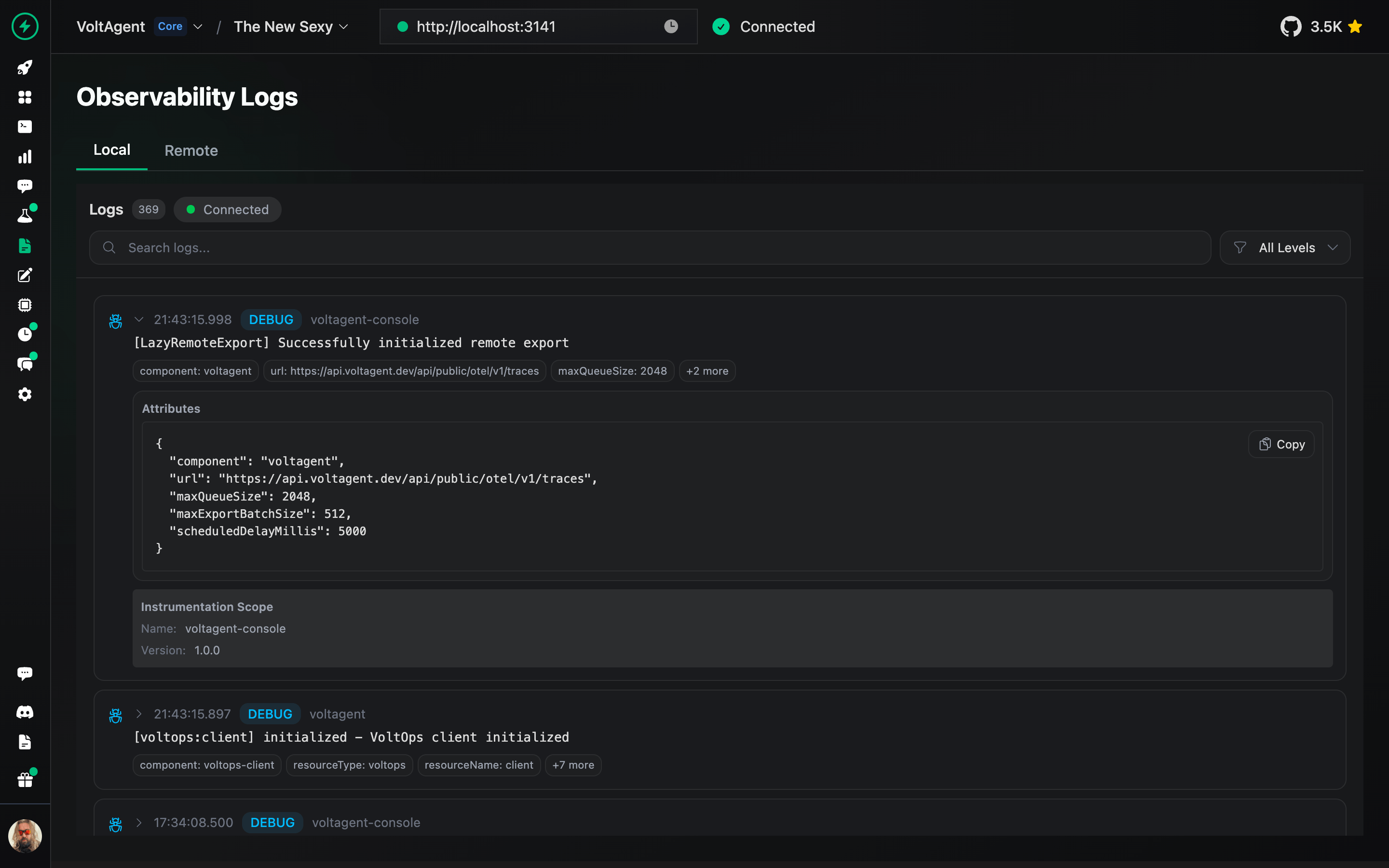
 ### Logs
Track detailed execution logs for every agent interaction and workflow step.
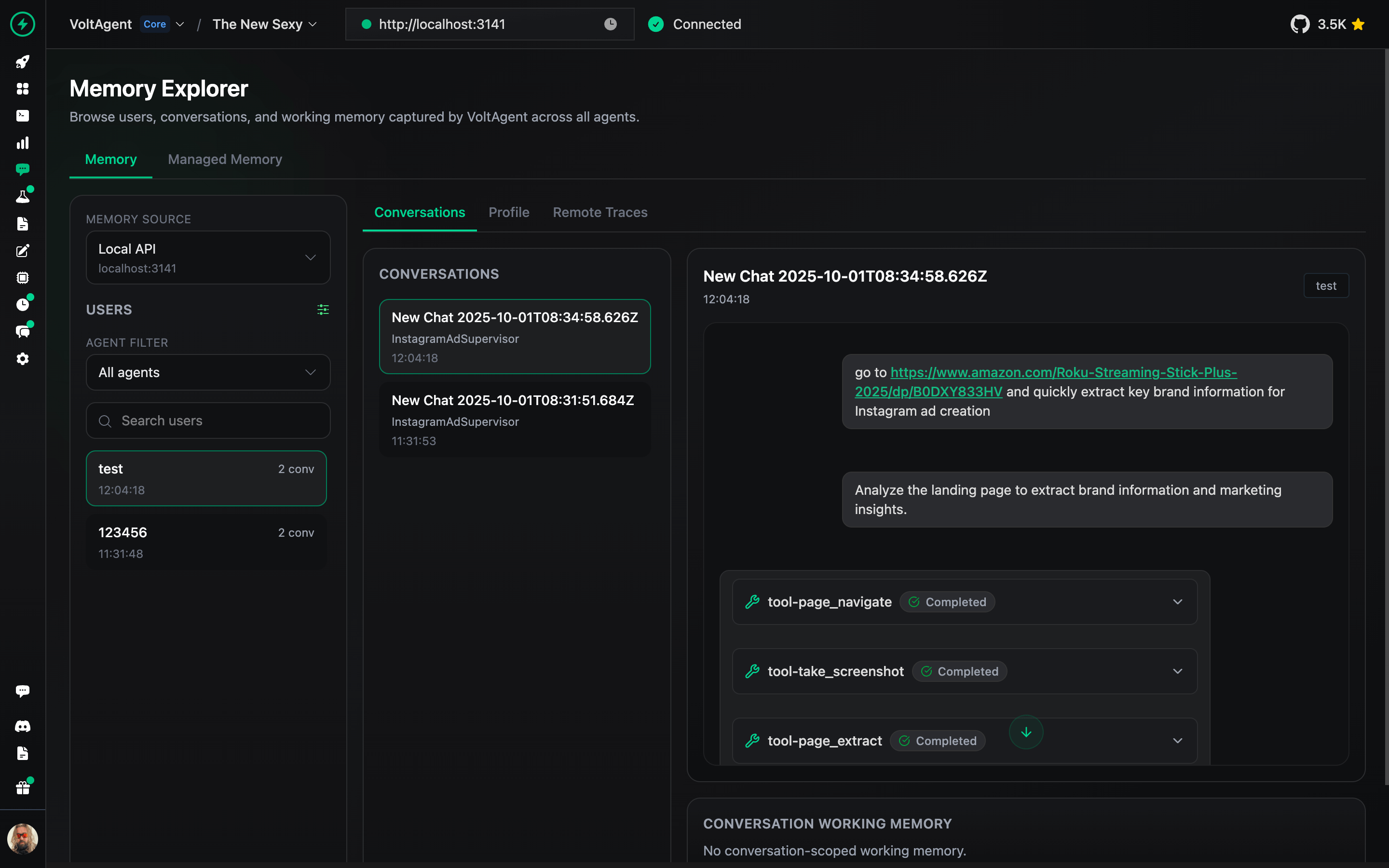
### Memory Management
Inspect and manage agent memory, context, and conversation history.
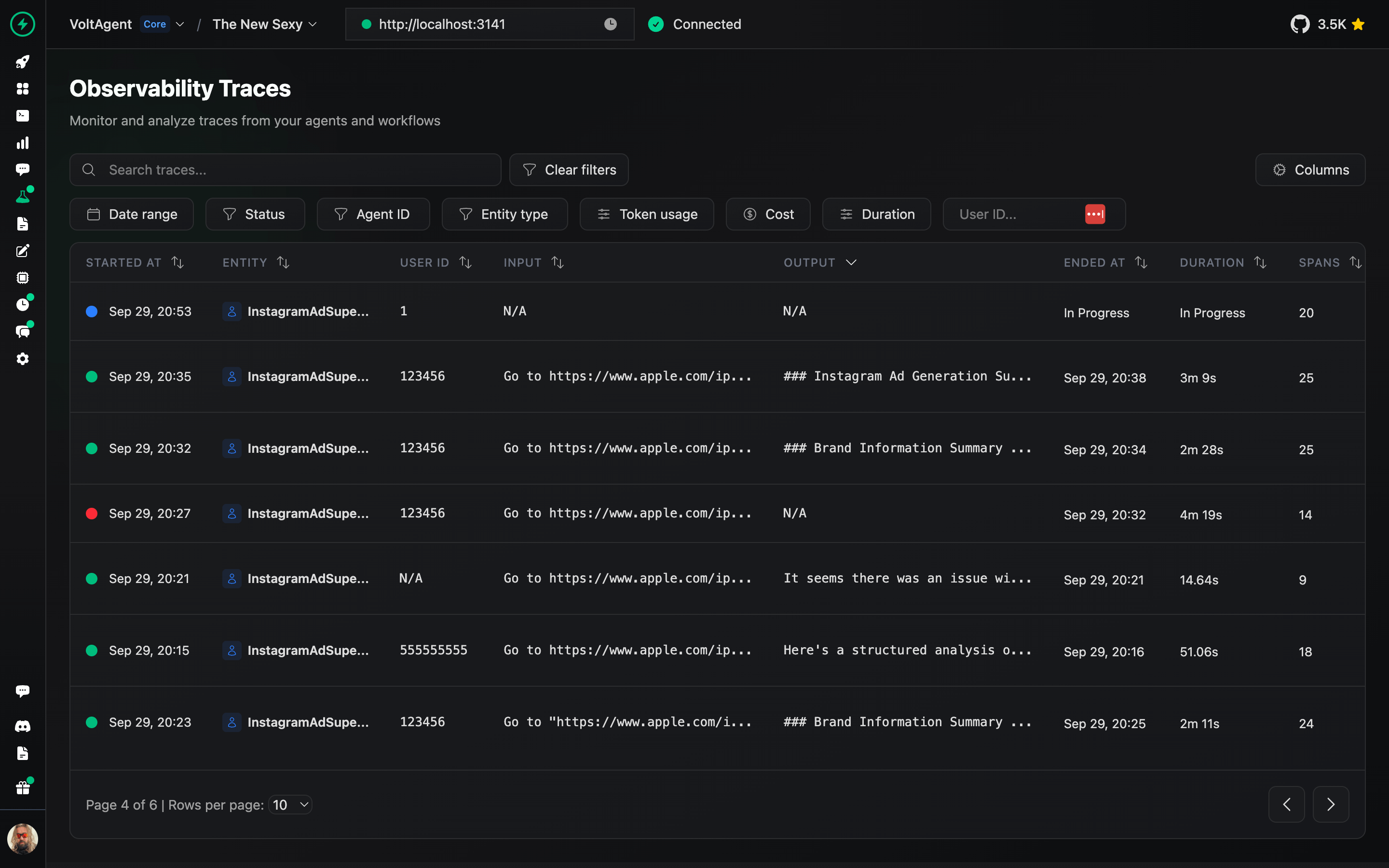
### Traces
Analyze complete execution traces to understand agent behavior and optimize performance.
### Prompt Builder
Design, test, and refine prompts directly in the console.
### Logs
Track detailed execution logs for every agent interaction and workflow step.

### Memory Management
Inspect and manage agent memory, context, and conversation history.

### Traces
Analyze complete execution traces to understand agent behavior and optimize performance.

### Prompt Builder
Design, test, and refine prompts directly in the console.
 ### Deployment
Deploy your agents to production with one-click GitHub integration and managed infrastructure.
### Deployment
Deploy your agents to production with one-click GitHub integration and managed infrastructure.
 📖 [VoltOps Deploy Documentation](https://voltagent.dev/docs/deployment/voltops/)
### Triggers & Actions
Automate agent workflows with webhooks, schedules, and custom triggers to react to external events.
📖 [VoltOps Deploy Documentation](https://voltagent.dev/docs/deployment/voltops/)
### Triggers & Actions
Automate agent workflows with webhooks, schedules, and custom triggers to react to external events.
 ### Monitoring
Monitor agent health, performance metrics, and resource usage across your entire system.
### Monitoring
Monitor agent health, performance metrics, and resource usage across your entire system.
 ### Guardrails
Set up safety boundaries and content filters to ensure agents operate within defined parameters.
### Guardrails
Set up safety boundaries and content filters to ensure agents operate within defined parameters.
 ### Evals
Run evaluation suites to test agent behavior, accuracy, and performance against benchmarks.
### Evals
Run evaluation suites to test agent behavior, accuracy, and performance against benchmarks.
 ### RAG (Knowledge Base)
Connect your agents to knowledge sources with built-in retrieval-augmented generation capabilities.
### RAG (Knowledge Base)
Connect your agents to knowledge sources with built-in retrieval-augmented generation capabilities.
 ## Learning VoltAgent
- **[Start with interactive tutorial](https://voltagent.dev/tutorial/introduction/)** to learn the fundamentals building AI Agents.
- **[Documentation](https://voltagent.dev/docs/)**: Dive into guides, concepts, and tutorials.
- **[Examples](https://github.com/voltagent/voltagent/tree/main/examples)**: Explore practical implementations.
- **[Blog](https://voltagent.dev/blog/)**: Read more about technical insights, and best practices.
## Contribution
We welcome contributions! Please refer to the contribution guidelines (link needed if available). Join our [Discord](https://s.voltagent.dev/discord) server for questions and discussions.
## Contributor ♥️ Thanks
Big thanks to everyone who's been part of the VoltAgent journey, whether you've built a plugin, opened an issue, dropped a pull request, or just helped someone out on Discord or GitHub Discussions.
VoltAgent is a community effort, and it keeps getting better because of people like you.

## License
Licensed under the MIT License, Copyright © 2026-present VoltAgent.
## Learning VoltAgent
- **[Start with interactive tutorial](https://voltagent.dev/tutorial/introduction/)** to learn the fundamentals building AI Agents.
- **[Documentation](https://voltagent.dev/docs/)**: Dive into guides, concepts, and tutorials.
- **[Examples](https://github.com/voltagent/voltagent/tree/main/examples)**: Explore practical implementations.
- **[Blog](https://voltagent.dev/blog/)**: Read more about technical insights, and best practices.
## Contribution
We welcome contributions! Please refer to the contribution guidelines (link needed if available). Join our [Discord](https://s.voltagent.dev/discord) server for questions and discussions.
## Contributor ♥️ Thanks
Big thanks to everyone who's been part of the VoltAgent journey, whether you've built a plugin, opened an issue, dropped a pull request, or just helped someone out on Discord or GitHub Discussions.
VoltAgent is a community effort, and it keeps getting better because of people like you.

## License
Licensed under the MIT License, Copyright © 2026-present VoltAgent.