# function-builder
**Repository Path**: jnschool/function-builder
## Basic Information
- **Project Name**: function-builder
- **Description**: 把卡尔威曼的一个游戏化学习方程的SPA单网页课件移到国内研究学习
- **Primary Language**: JavaScript
- **License**: GPL-3.0
- **Default Branch**: main
- **Homepage**: None
- **GVP Project**: No
## Statistics
- **Stars**: 0
- **Forks**: 0
- **Created**: 2024-06-05
- **Last Updated**: 2025-06-25
## Categories & Tags
**Categories**: Uncategorized
**Tags**: None
## README
Function Builder
=============
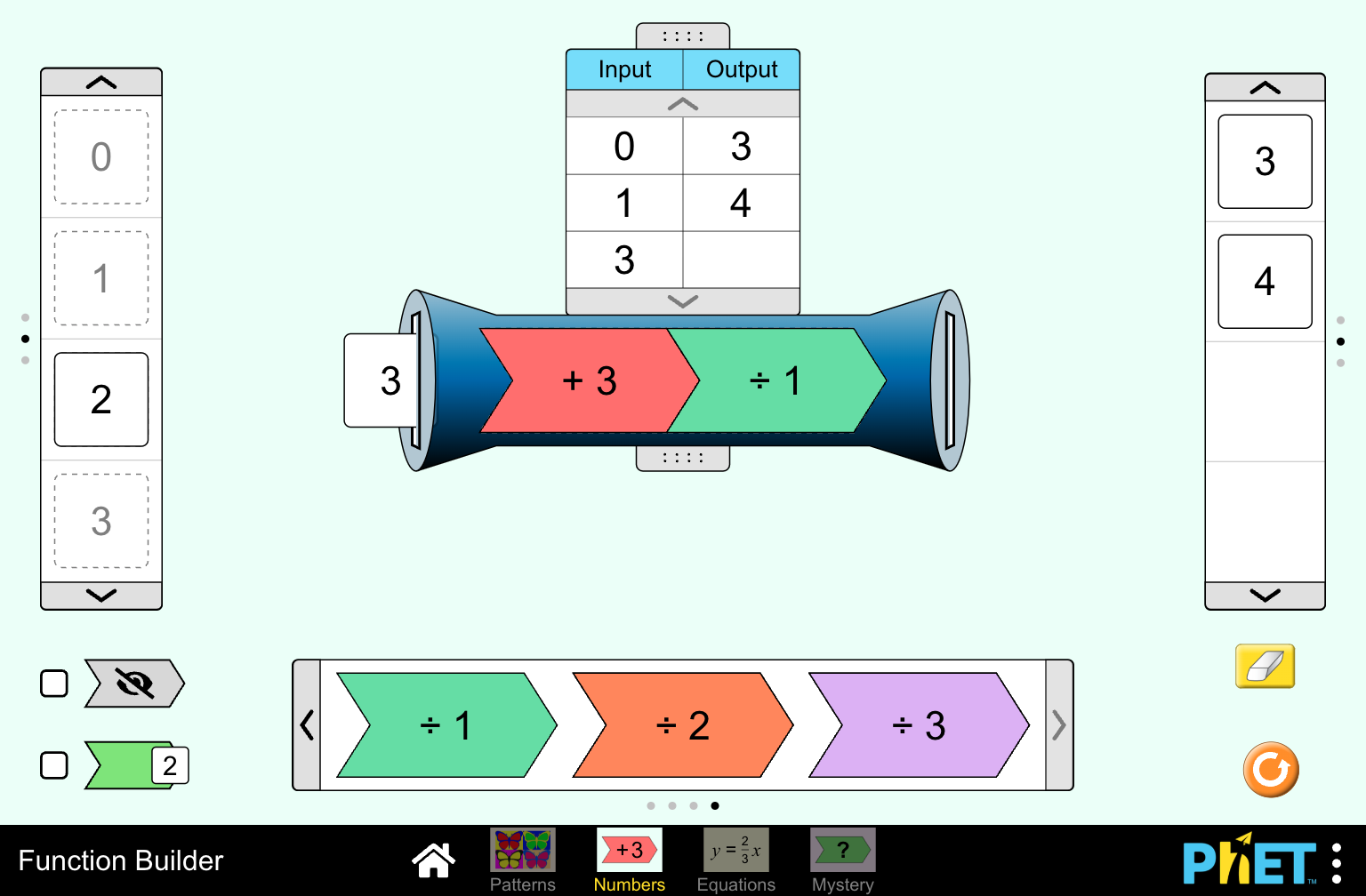
"Function Builder" is an educational simulation in HTML5, by PhET
Interactive Simulations
at the University of Colorado Boulder. For a description of this simulation, associated resources, and a link to the
published version,
visit the simulation's web page.
### Try it!
Click here to
run "Function Builder".
 ### Documentation
The PhET
Development Overview is the most complete guide to PhET Simulation Development. This guide includes how to obtain
simulation code and its dependencies, notes about architecture & design, how to test and build the sims, as well as
other important information.
### Quick Start
(1) Clone the simulation and its dependencies:
```
git clone https://github.com/phetsims/assert.git
git clone https://github.com/phetsims/axon.git
git clone https://github.com/phetsims/babel.git
git clone https://github.com/phetsims/brand.git
git clone https://github.com/phetsims/chipper.git
git clone https://github.com/phetsims/dot.git
git clone https://github.com/phetsims/function-builder.git
git clone https://github.com/phetsims/joist.git
git clone https://github.com/phetsims/kite.git
git clone https://github.com/phetsims/perennial.git perennial-alias
git clone https://github.com/phetsims/phet-core.git
git clone https://github.com/phetsims/phetcommon.git
git clone https://github.com/phetsims/phetmarks.git
git clone https://github.com/phetsims/query-string-machine.git
git clone https://github.com/phetsims/scenery.git
git clone https://github.com/phetsims/scenery-phet.git
git clone https://github.com/phetsims/sherpa.git
git clone https://github.com/phetsims/sun.git
git clone https://github.com/phetsims/tambo.git
git clone https://github.com/phetsims/tandem.git
git clone https://github.com/phetsims/twixt.git
git clone https://github.com/phetsims/utterance-queue.git
```
(2) Install dev dependencies:
```
cd chipper
npm install
cd ../perennial-alias
npm install
cd ../function-builder
npm install
```
(3) Transpile the TypeScript code to JavaScript by running `grunt output-js-project --live`. This starts a file-watching process that will automatically transpile
new or changed files.
(4) In a new terminal/command prompt, start an http-server
(5) Open in the browser: `http://localhost/function-builder/function-builder_en.html` (You will probably need to modify this
URL based on your HTTP port and relative path.)
#### Optional: Build the simulation into a single file
(1) Change directory to the simulation directory: `cd ../function-builder`
(2) Build the sim: `grunt --brands=adapted-from-phet`. It is safe to ignore warnings
like `>> WARNING404: Skipping potentially non-public dependency`, which indicate that non-public PhET-iO code is not
being included in the build.
(3) Open in the
browser: `http://localhost/function-builder/build/adapted-from-phet/function-builder_en_adapted-from-phet.html` (You will
probably need to modify this URL based on your HTTP port and relative path.)
### Get Involved
Contact us at our Google
Group:
Developing Interactive Simulations in HTML5
Help us improve, create a New Issue
### License
See the LICENSE
### Documentation
The PhET
Development Overview is the most complete guide to PhET Simulation Development. This guide includes how to obtain
simulation code and its dependencies, notes about architecture & design, how to test and build the sims, as well as
other important information.
### Quick Start
(1) Clone the simulation and its dependencies:
```
git clone https://github.com/phetsims/assert.git
git clone https://github.com/phetsims/axon.git
git clone https://github.com/phetsims/babel.git
git clone https://github.com/phetsims/brand.git
git clone https://github.com/phetsims/chipper.git
git clone https://github.com/phetsims/dot.git
git clone https://github.com/phetsims/function-builder.git
git clone https://github.com/phetsims/joist.git
git clone https://github.com/phetsims/kite.git
git clone https://github.com/phetsims/perennial.git perennial-alias
git clone https://github.com/phetsims/phet-core.git
git clone https://github.com/phetsims/phetcommon.git
git clone https://github.com/phetsims/phetmarks.git
git clone https://github.com/phetsims/query-string-machine.git
git clone https://github.com/phetsims/scenery.git
git clone https://github.com/phetsims/scenery-phet.git
git clone https://github.com/phetsims/sherpa.git
git clone https://github.com/phetsims/sun.git
git clone https://github.com/phetsims/tambo.git
git clone https://github.com/phetsims/tandem.git
git clone https://github.com/phetsims/twixt.git
git clone https://github.com/phetsims/utterance-queue.git
```
(2) Install dev dependencies:
```
cd chipper
npm install
cd ../perennial-alias
npm install
cd ../function-builder
npm install
```
(3) Transpile the TypeScript code to JavaScript by running `grunt output-js-project --live`. This starts a file-watching process that will automatically transpile
new or changed files.
(4) In a new terminal/command prompt, start an http-server
(5) Open in the browser: `http://localhost/function-builder/function-builder_en.html` (You will probably need to modify this
URL based on your HTTP port and relative path.)
#### Optional: Build the simulation into a single file
(1) Change directory to the simulation directory: `cd ../function-builder`
(2) Build the sim: `grunt --brands=adapted-from-phet`. It is safe to ignore warnings
like `>> WARNING404: Skipping potentially non-public dependency`, which indicate that non-public PhET-iO code is not
being included in the build.
(3) Open in the
browser: `http://localhost/function-builder/build/adapted-from-phet/function-builder_en_adapted-from-phet.html` (You will
probably need to modify this URL based on your HTTP port and relative path.)
### Get Involved
Contact us at our Google
Group:
Developing Interactive Simulations in HTML5
Help us improve, create a New Issue
### License
See the LICENSE