# flutter_app_badger
**Repository Path**: hitool/flutter_app_badger
## Basic Information
- **Project Name**: flutter_app_badger
- **Description**: No description available
- **Primary Language**: Unknown
- **License**: Apache-2.0
- **Default Branch**: master
- **Homepage**: None
- **GVP Project**: No
## Statistics
- **Stars**: 0
- **Forks**: 0
- **Created**: 2021-02-23
- **Last Updated**: 2022-02-21
## Categories & Tags
**Categories**: Uncategorized
**Tags**: None
## README
# Flutter App Badger plugin
[](https://pub.dartlang.org/packages/flutter_app_badger)
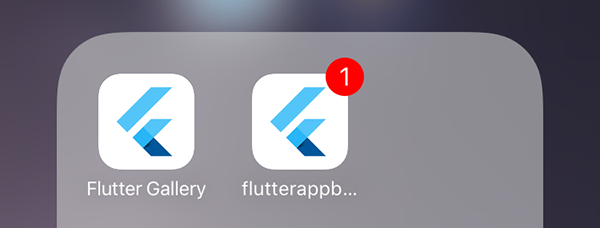
This plugin for [Flutter](https://flutter.io) adds the ability to change the badge of the app in the launcher.
It supports iOS and some Android devices (the official API does not support the feature, even on Oreo).

## Getting Started
### iOS
On iOS, the notification permission is required to update the badge.
It is automatically asked when the badge is added or removed.
Please also add the following to your Info.plist:
```xml
UIBackgroundModes
remote-notification
```
### Android
On Android, no official API exists to show a badge in the launcher. But some devices (Samsung, HTC...) support the feature.
Thanks to the [Shortcut Badger library](https://github.com/leolin310148/ShortcutBadger/), ~ 16 launchers are supported.
### Dart
First, you just have to import the package in your dart files with:
```dart
import 'package:flutter_app_badger/flutter_app_badger.dart';
```
Then you can add a badge:
```dart
FlutterAppBadger.updateBadgeCount(1);
```
Remove a badge:
```dart
FlutterAppBadger.removeBadge();
```
Or just check if the device supports this feature with:
```dart
FlutterAppBadger.isAppBadgeSupported();
```