


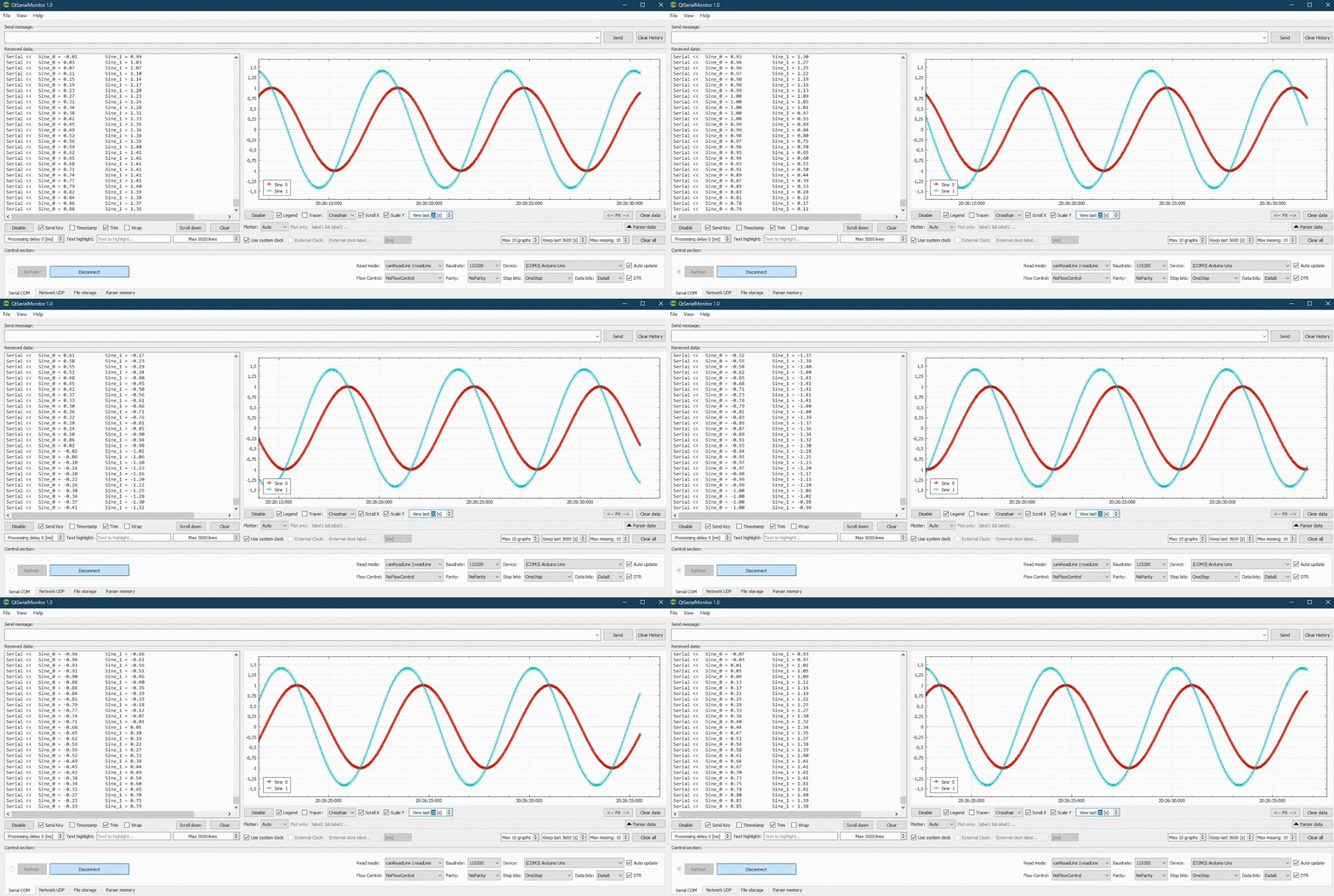
 **Features:**
- In/out serial data terminal with command history,
- UDP network protocol support,
- Resizable UI widgets,
- Data plotter with multiple graphs support and basic data filtering - uses [QCustomPlot](https://www.qcustomplot.com/),
- Printer support, ability to save graph as image,
- Read/write ".csv", ".txt" data logs,
- many more...
Download QtSerialMonitor_v1.53_win_x64
-
---
**Work in progress:**
- 3D Orientation Demo - for IMU testing (user will be able to toggle between chart view
and a simple 3D scene containing an object rotating accordingly to received roll,
pitch and yaw values, representing the sensor's orientation),
- Improvements, fixes etc.
----
***Notes:***
* The app uses a custom-written parser, which searches the incoming message for plottable data in form of label-value set. At the moment, all labels and values **must be separated with a whitespace** in order to be recognized. Its possible to use separators like "=" and "," - parser will be replace them with whitespace before processing. If no label is found, a generic name will be used i.e. "Graph 0".*
Examples of supported formats:
- "Roll = 1.23 Pitch = 45.6"
- "Voltage: 1.23 (tabulator) Output: 4.56"
- "1.23 4.56" (Graph 0 and Graph 1)
* Application uses QtSettings functionality and stores a simple .ini file on the hard drive in which it keeps its settings. Under Windows, the file should be located in *C:\ProgramData\QtSerialMonitor*. The settings are saved each time the app closes.
**Features:**
- In/out serial data terminal with command history,
- UDP network protocol support,
- Resizable UI widgets,
- Data plotter with multiple graphs support and basic data filtering - uses [QCustomPlot](https://www.qcustomplot.com/),
- Printer support, ability to save graph as image,
- Read/write ".csv", ".txt" data logs,
- many more...
Download QtSerialMonitor_v1.53_win_x64
-
---
**Work in progress:**
- 3D Orientation Demo - for IMU testing (user will be able to toggle between chart view
and a simple 3D scene containing an object rotating accordingly to received roll,
pitch and yaw values, representing the sensor's orientation),
- Improvements, fixes etc.
----
***Notes:***
* The app uses a custom-written parser, which searches the incoming message for plottable data in form of label-value set. At the moment, all labels and values **must be separated with a whitespace** in order to be recognized. Its possible to use separators like "=" and "," - parser will be replace them with whitespace before processing. If no label is found, a generic name will be used i.e. "Graph 0".*
Examples of supported formats:
- "Roll = 1.23 Pitch = 45.6"
- "Voltage: 1.23 (tabulator) Output: 4.56"
- "1.23 4.56" (Graph 0 and Graph 1)
* Application uses QtSettings functionality and stores a simple .ini file on the hard drive in which it keeps its settings. Under Windows, the file should be located in *C:\ProgramData\QtSerialMonitor*. The settings are saved each time the app closes.