# system-config
**Repository Path**: LinRaise/system-config
## Basic Information
- **Project Name**: system-config
- **Description**: My customizations of Posix systems (Linux/Cygwin/Darwin).
- **Primary Language**: Python
- **License**: Not specified
- **Default Branch**: master
- **Homepage**: None
- **GVP Project**: No
## Statistics
- **Stars**: 0
- **Forks**: 0
- **Created**: 2018-07-13
- **Last Updated**: 2022-04-24
## Categories & Tags
**Categories**: Uncategorized
**Tags**: None
## README
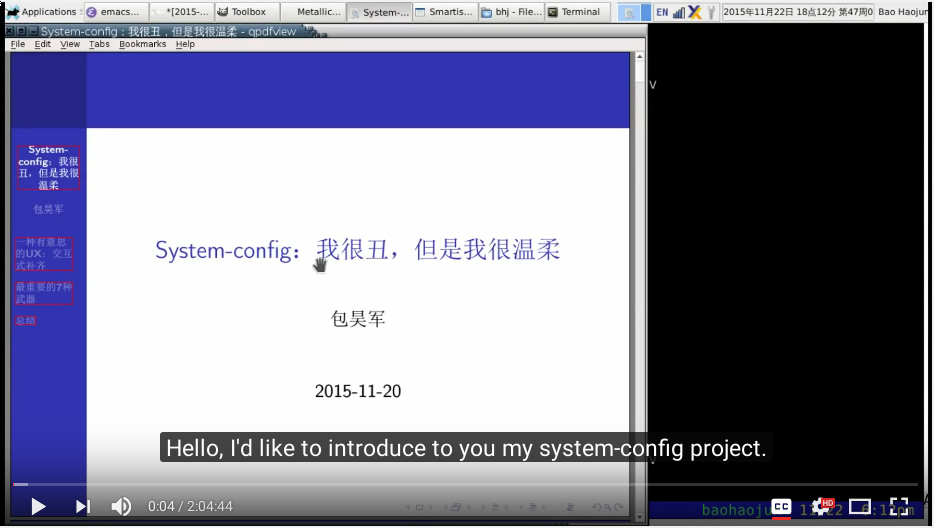
System-config is my customizations of Posix systems (Linux/Cygwin/Mac
OS X, but mainly Debian Linux or Ubuntu). It aims to reproduce my
complete working environment with a single command. I made an
introductory video about it on youtube (It's in Chinese, with English
subtitles).
#+BEGIN_HTML
#+END_HTML
During set-up, system-config will download, install, compile many open
source projects that I use frequently.
One of these projects is [[https://github.com/baohaojun/beagrep][beagrep]]. It combines a search engine with
grep. It is very useful for reading source code. In fact I use it to
read system-config's own source code (code reading is like solving
puzzles, solving puzzles is about looking for answers, and what's best
for looking for answers? Search Engines. Google. Beagrep is a local
search engine best tuned for software projects).
* How to install
Under Debian Linux or Ubuntu, it's simple to set up system-config:
#+BEGIN_SRC sh
git clone https://github.com/baohaojun/system-config/ ~/system-config &&
~/system-config/bin/Linux/after-check-out.sh
#+END_SRC
You probably need to fix some bugs when running =after-check-out.sh=. And then, make system-config your own by forking it and customizing it.
On non debian systems, or if you don't have sudo permission, you can try to use [[http://linuxbrew.sh/][Linuxbrew]]:
#+BEGIN_SRC sh
git clone https://github.com/baohaojun/system-config/ ~/system-config &&
~/system-config/bin/after-co-ln-s.sh && (
. ~/.bashrc
install-brew.sh
)
#+END_SRC
* How to use
You should be able to use system-config just like using any Linux distribution.
But if you want more power, you can watch the youtube video and try to copy whatever that you like.
(If you are in China, note that the video is also uploaded to [[http://www.bilibili.com/video/av3376647/][bilibili]].)
* How does it work?
Please refer to my [[http://baohaojun.github.io/][github blog]], there are quite some articles about system-config. Most are in Chinese though, sorry😅.
Especially this article: [[http://baohaojun.github.io/blog/2016/04/13/0-system-config-how-does-it-work-and-how-to-use-it.html][How does it work and how to use it]].
* Disclaimer
System-config started out as a very personal project. If you decided to use it, please do so at your own risk, there is absolutely no warranty of any kind😅.
If you have your own customization, it would be a good idea that you back them up before you try system-config. It's a good idea that you too put your own customization into a git repo, if you have not done so already.
* Contribute
Bug reports, patches, ideas are welcome.
Or, if you like it, you may also donate some money.
** With a paypal account:
#+BEGIN_HTML
 #+END_HTML
** 支付宝(AliPay)
[[http://baohaojun.github.io/images/bhj-alipay.png]]
** 微信支付(WeChat Pay)
[[http://baohaojun.github.io/images/bhj-wechat-pay.png]]
#+END_HTML
** 支付宝(AliPay)
[[http://baohaojun.github.io/images/bhj-alipay.png]]
** 微信支付(WeChat Pay)
[[http://baohaojun.github.io/images/bhj-wechat-pay.png]]